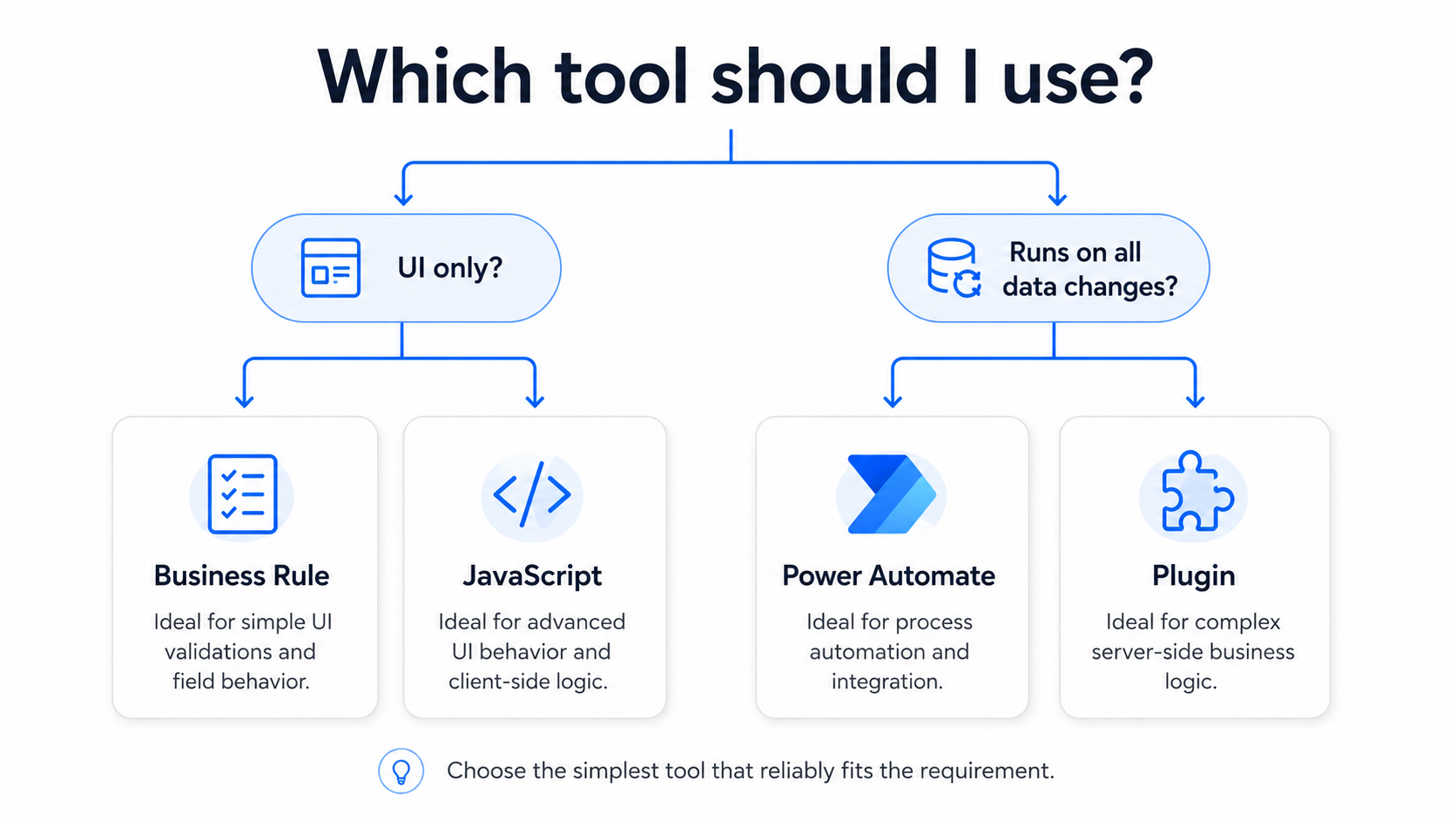
We have a handful of different options when it comes to extending our Dynamics 365 CE apps (Sales, Field Service, Customer Service, Customer Insights, Project Ops.) or custom Model-Driven Power Apps:
- Business Rules
- JavaScript
- Power Automate
- Plugins
One of the main mistakes we see junior developers make is choosing the wrong tool in the Power Platform ecosystem. This can create unnecessary ‘tech debt’ and maintenance overhead, while making for a worse user experience.
We’ve come up with some basic rules to ensure the correct tool is used:
Does the logic only need to run while a user is interacting with a form or view within the app?
Use a Business Rule or JavaScript.
Use a Business Rule for simple form logic (easier to configure – no custom dev work):
- Show or hide a field
- Make a field required
- Lock or unlock a field
- Set a field value
Use JavaScript for more advanced interface behavior (much more flexible):
- Filter a lookup field on a form
- Show form notifications
- Customizations to the Business Process Flow
- Customizations to the Command Bar and its components
- Control form tabs or sections
- Run custom logic when a field changes
- Call the Dataverse Web API (e.g. – when I select a contact record in a lookup field, update that Contact’s account record)
JavaScript only runs when the user is interacting with the application. It will not run when records are updated through an import, integration, API, bulk-edit, or other background process.
Note: As a best practice, we don’t recommend combining business rules and JavaScript on the same form. This can add tech debt as an admin will need to check multiple areas to find all form customizations. Business Rules and JavaScript logic can also conflict when triggered of the same handler. In general, all Business Rule customizations can be written in JavaScript. Therefore, if you need to use JavaScript for any reason on a given form, we find it best to perform all customizations with JavaScript on that form. This is becoming even more of a best practice now that AI has significantly reduced the time it takes to develop form JavaScript! We tend not to use business rules much anymore. Their main benefit was reduced development time, and it’s up for debate whether that is still a benefit of Business Rules.
Does the logic need to run whenever the data changes? Including manual user updates, bulk edits, integrations, migrations, automations, or other Background processes?
Use Power Automate or a plugin.
Use Power Automate when:
- A short delay is acceptable (async)
- You are sending emails or Teams notifications
- You are creating approvals
- You are integrating with SharePoint, Outlook, or another system
- The process does not need to block the record from saving
- Your process will take longer than 2 minutes to complete
Use a plugin when:
- The logic must run immediately (synchronously)
- Invalid data must be prevented from saving
- The logic is complex or performance-sensitive
- The 2-minute timeout limitation will not be hit
- The 2-minute timeout applies to synchronous and asynchronous plugins!
- The logic should be run as a single transaction and be rolled back if an exception occurs
For example, if an opportunity cannot be closed without an approved quote, use a plugin. A Power Automate flow would run after the opportunity has already been closed.
Note: Use Power Automate or async plugins where possible. Synchronous plugins can create a worse user experience when overused. They force the user to wait until the process finishes before a user can click away and continue using the app. They’re very powerful when needed, but shouldn’t be overused.
The Simple Rule
- Business Rule: Simple form behavior
- JavaScript: Advanced form/view/command bar behavior
- Power Automate: Asynchronous processes and integrations
- Plugin: Critical server-side validation and synchronous logic
Sometimes the best solution uses more than one tool. JavaScript may provide immediate feedback to the user, while a plugin enforces the same rule for integrations and imports.
There are other options for extending Dynamics 365 and Power Apps that were not covered in this article. For example, Azure Functions and Azure Logic Apps. We’ll cover some of these other options for automation in another article, as they deserve their own!